A library that feels like one
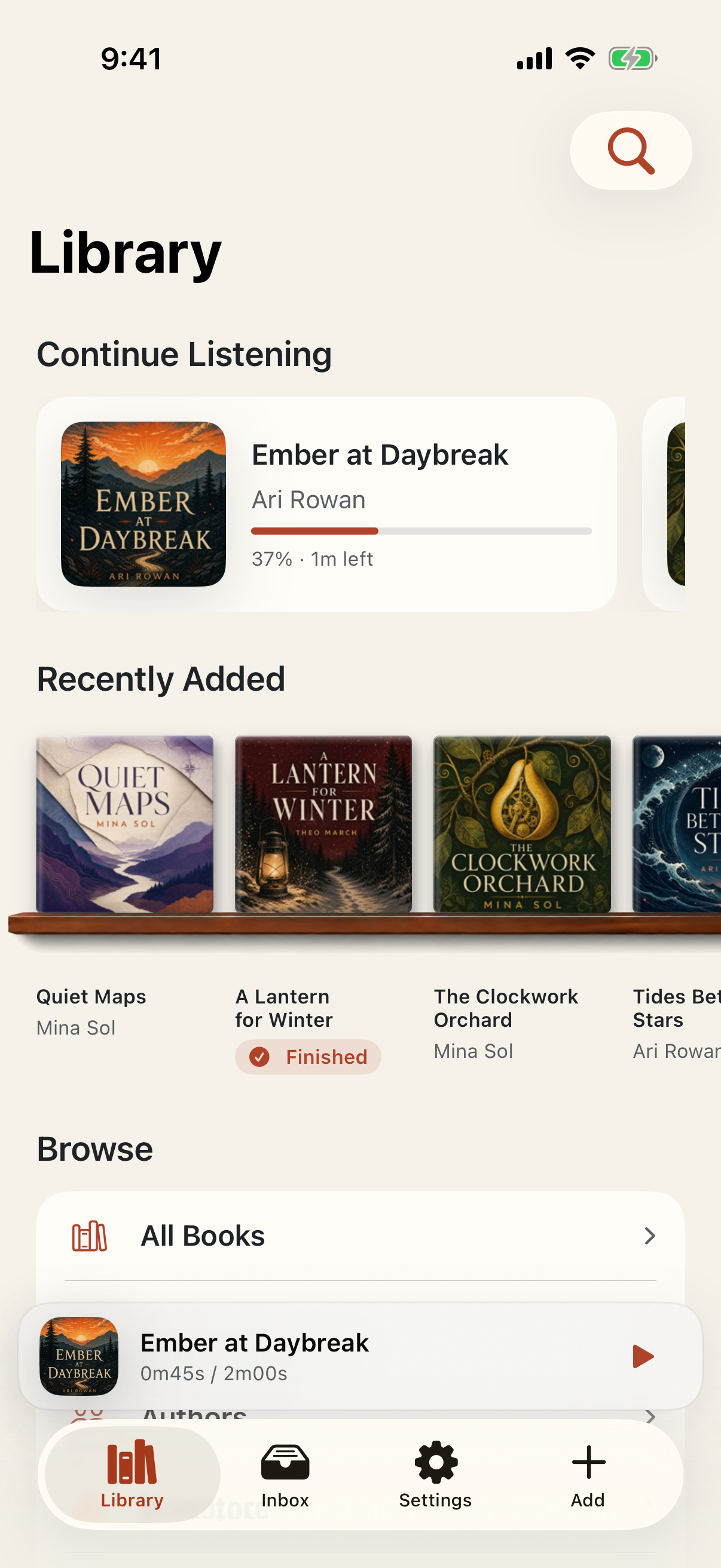
See your books on the shelf.
Browse cover art on warm wooden shelves, switch to a compact list, and search a growing collection quickly.
Your books. Your files. Your place.
Bookshelf is an offline audiobook player for iPhone, designed around your MP3, M4A, and M4B files—not a store, a subscription, or somebody else’s library.
Works from any computer
Open Bookshelf’s private receiver, then visit its local address from a browser on Mac, Windows, Linux, or Chromebook. Drop in your audiobook and it travels straight to your iPhone over your local network.
Fastest on a Mac: skip the browser and drag books from Finder straight onto Bookshelf through iPhone Mirroring. It requires supported Apple hardware and software and is not available in every region. Check Apple’s requirements
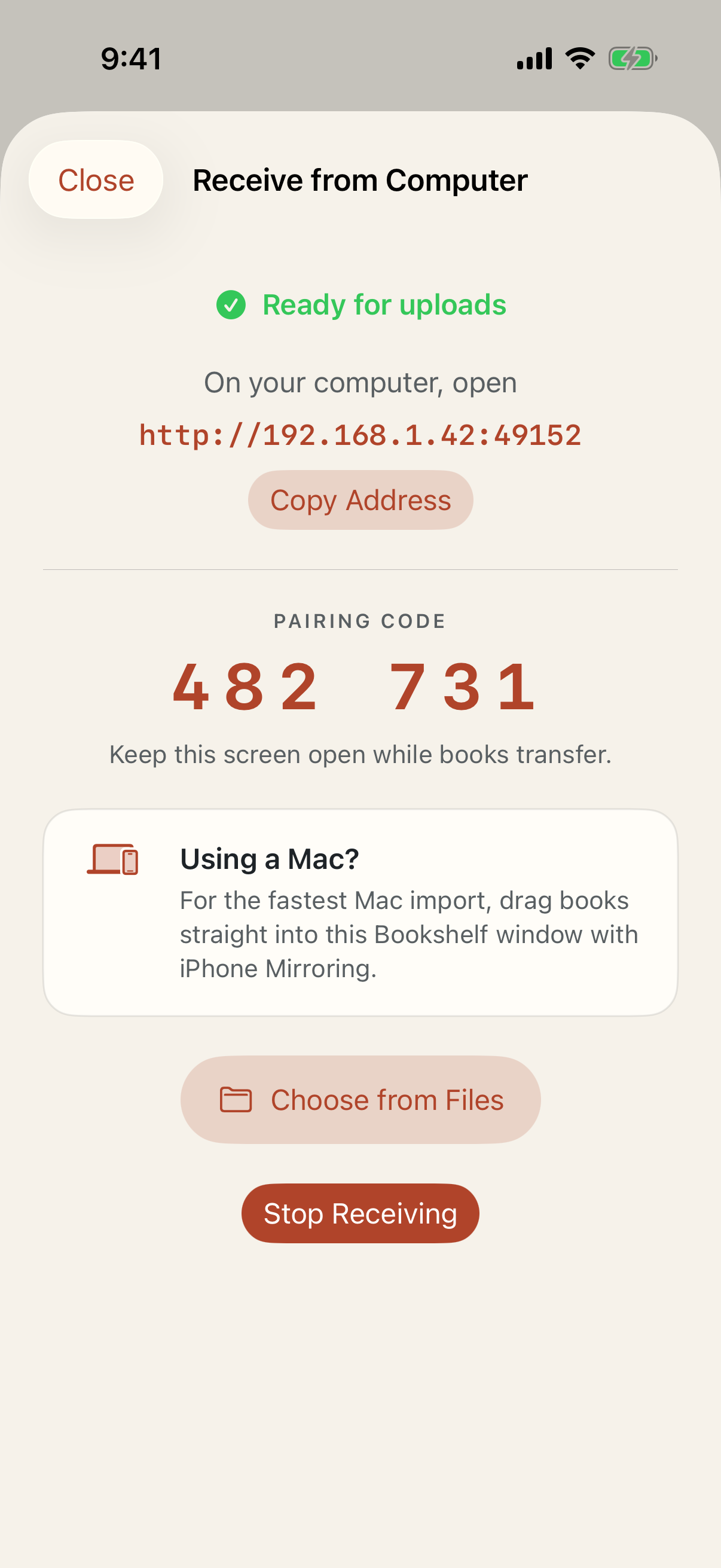
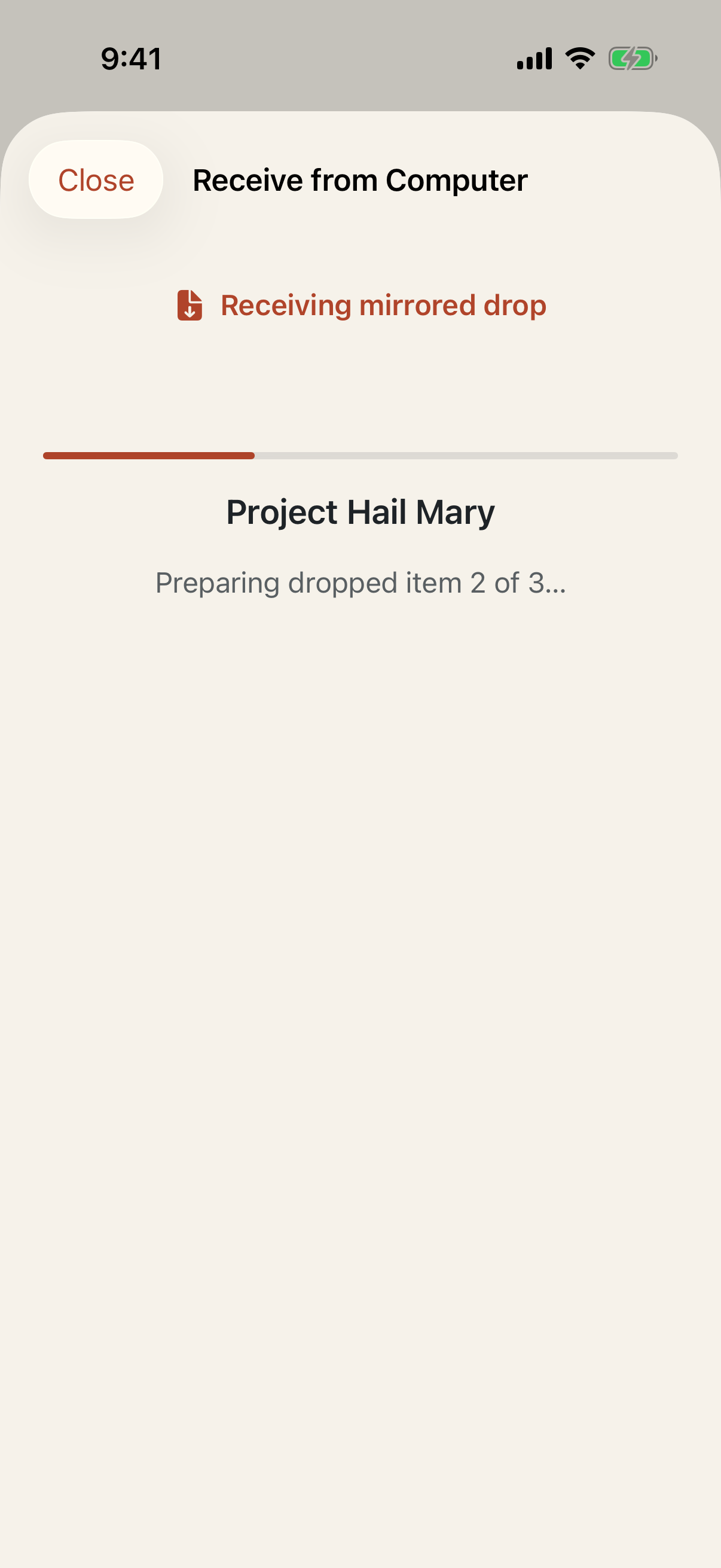
Also available on iPhone: Files, AirDrop, the share sheet, and ZIP import are always there when they fit better.
Made for long listens
Bookshelf keeps the practical controls close and the interface calm—so getting back into a story never feels like work.
Browse cover art on warm wooden shelves, switch to a compact list, and search a growing collection quickly.
Playback position, speed, chapter, and sleep timer stay ready for the next listening session.
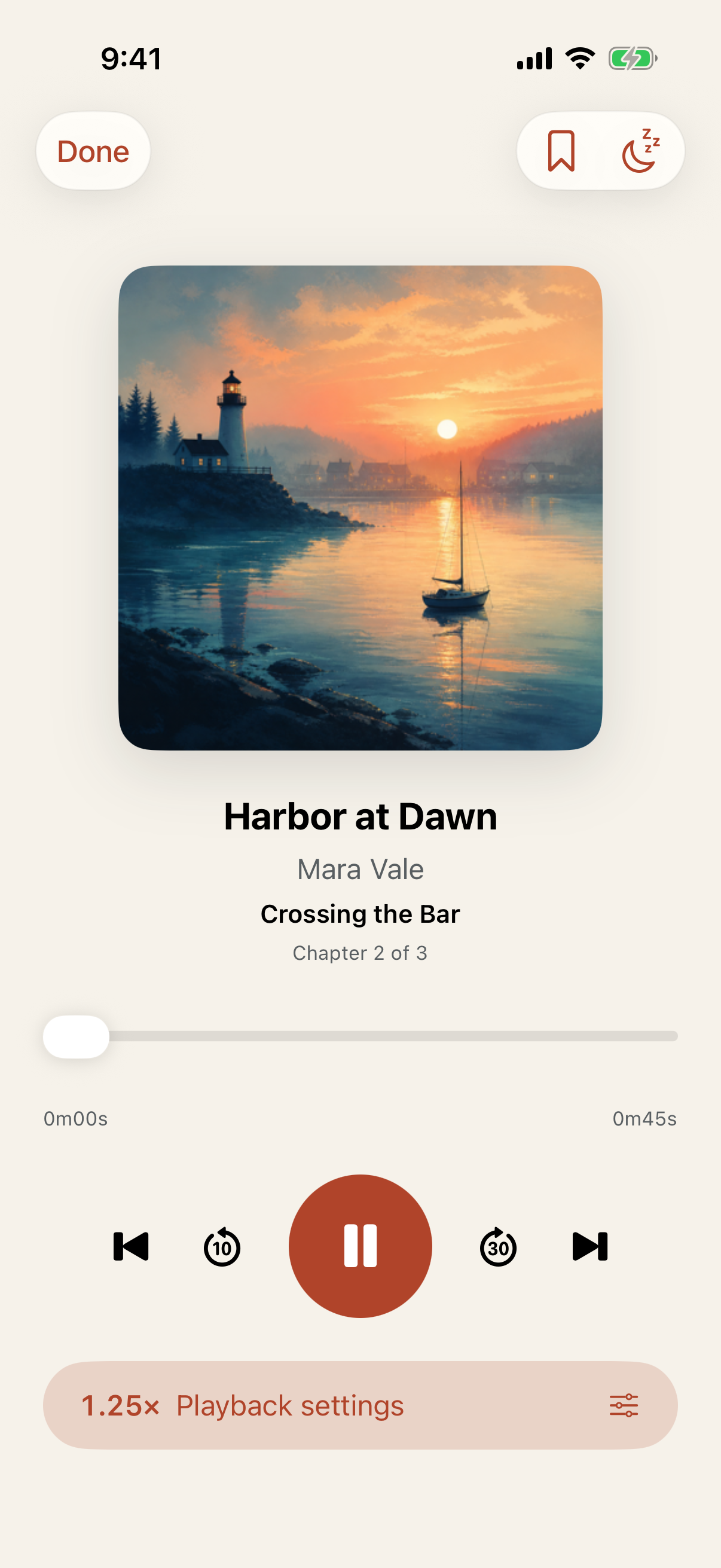
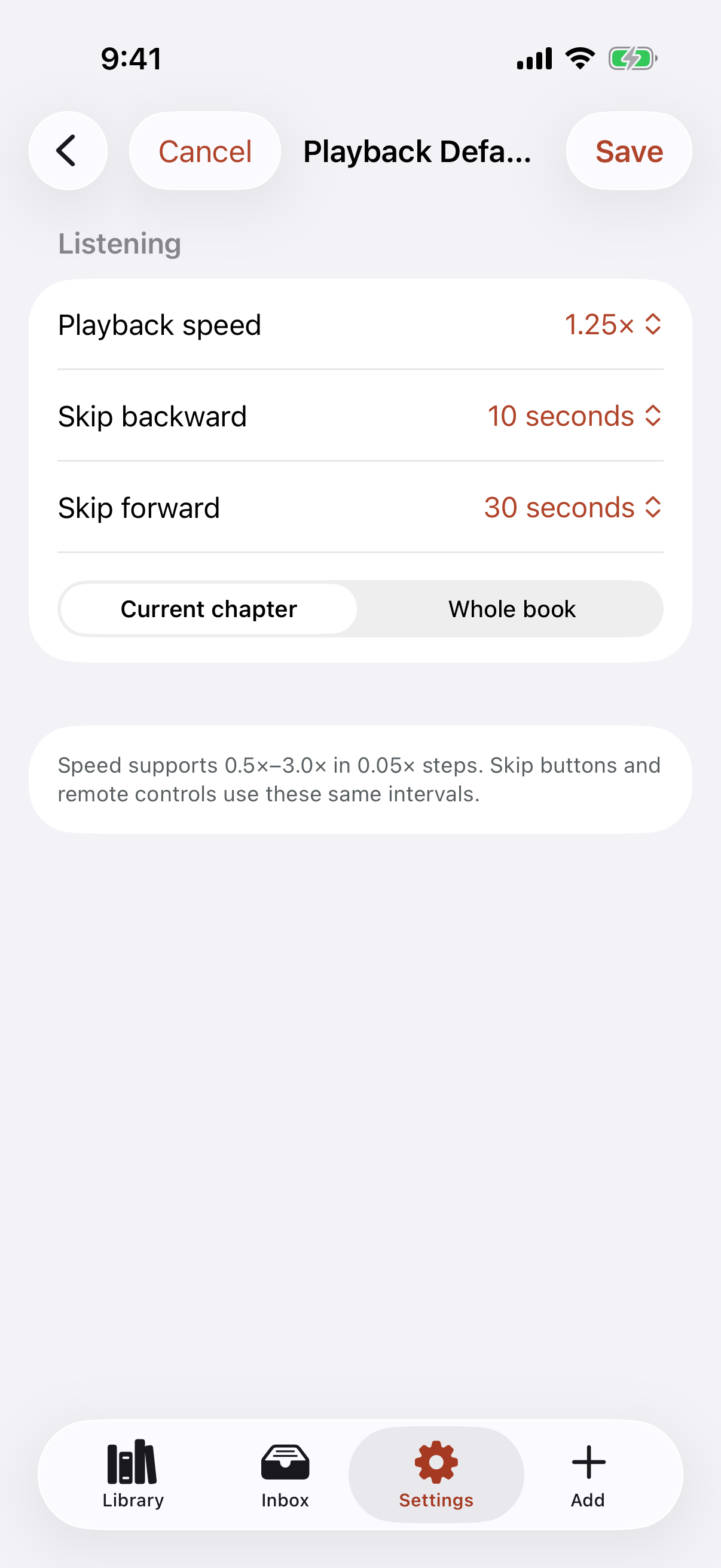
Choose playback speed, skip intervals, and whether seeking follows the current chapter or the whole book.
Bring books you have the right to enjoy
Start with public-domain recordings or stores that provide downloadable, DRM-free files. Availability and copyright status can vary by country.
Public-domain audiobooks read by volunteers around the world, with downloadable MP3 files.
Browse LibriVox Public domain · FreeExplore its collection of human-read audio books and classic literature available in audio formats.
Explore audio books Independent stores · PaidPurchase audiobooks while supporting an independent bookshop, then download DRM-free MP3 or M4B files.
Visit Libro.fmOnly import recordings you are legally permitted to use. Public-domain status depends on where you live.
A human place for help
Join fellow listeners and talk directly with the Bookshelf community on Reddit. For a private question, send the moderators a message.